One view. Every location.
Move between buildings and sites without switching systems or losing context.
FURCHA HUB
Manage access, security, smart lockers, employees, and multiple locations from one connected cloud platform. Get the visibility and control you need — wherever you work.
Move between buildings and sites without switching systems or losing context.
Manage users, permissions, and responsibilities through a clear, centralized interface.
Review system events and device status in one place, with notifications where configured.
FURCHA HUB complements locally operating controllers, bringing supported functions into a unified cloud environment.
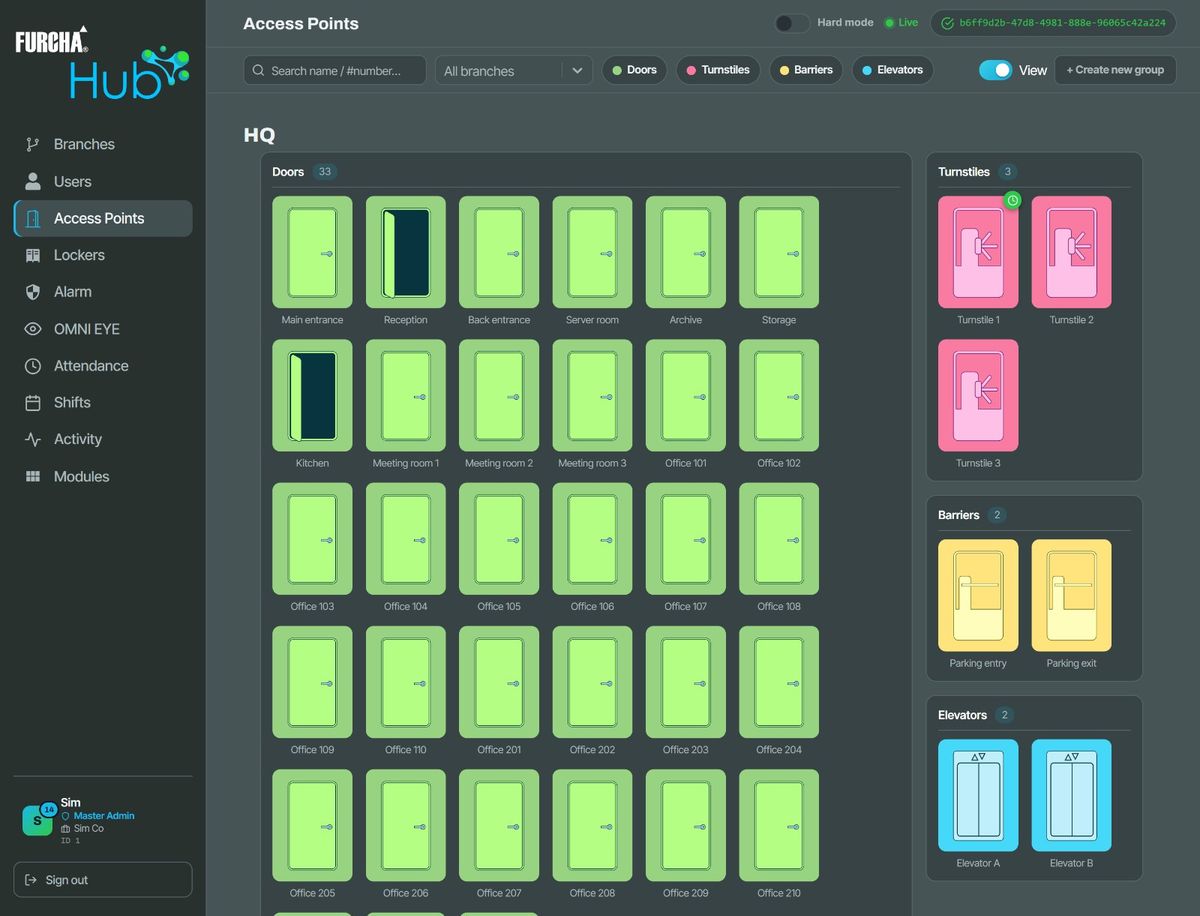
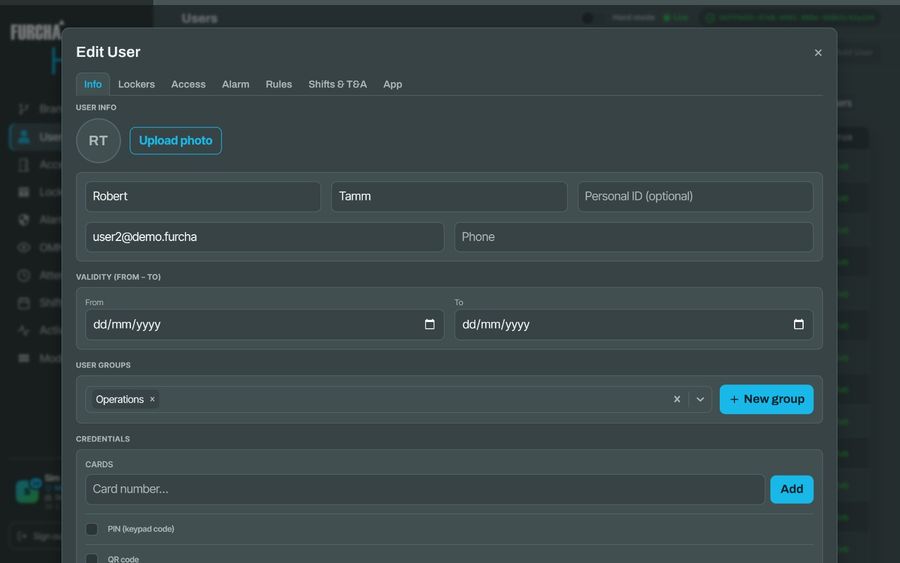
Give each person cards, a PIN code or a QR code, put them in groups, and set validity dates and access schedules: which days and which hours. Give rights per door and per locker to a person, and per door to a whole group.
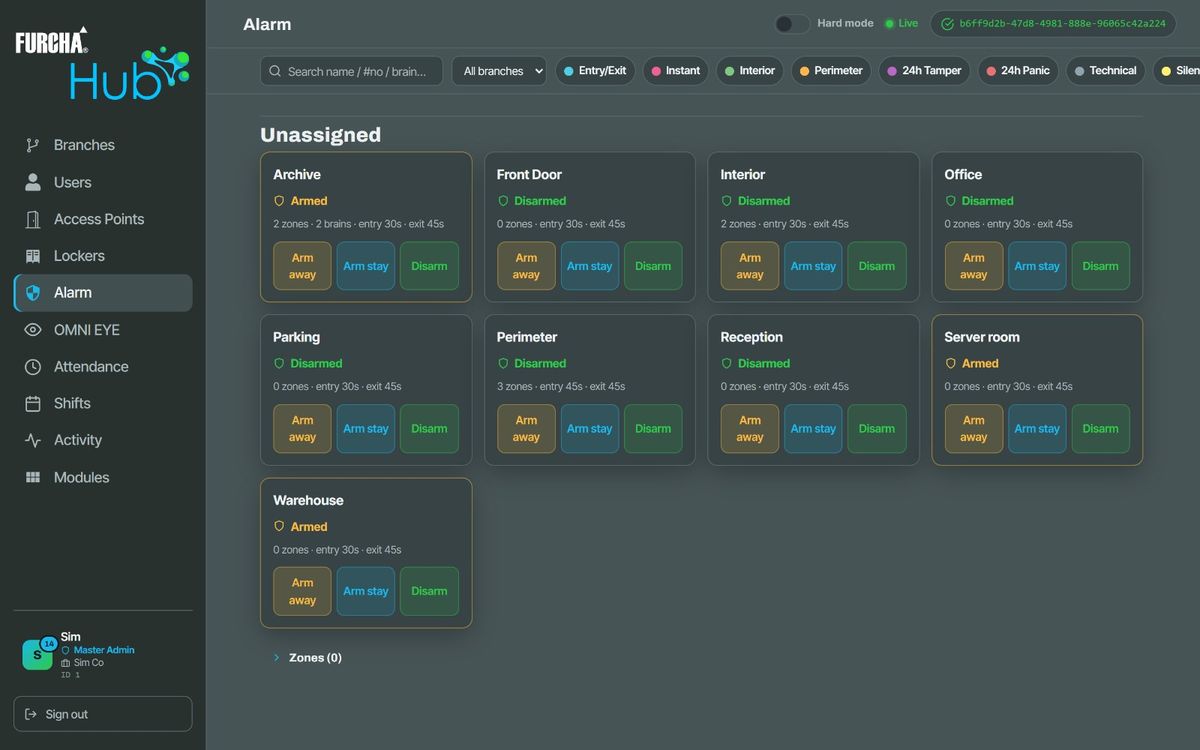
See every alarm partition’s state as the controllers report it. A partition shows as armed only when every controller holding it has confirmed it, never because someone asked. Your people arm (Away or Stay) and disarm from FURCHA Go.
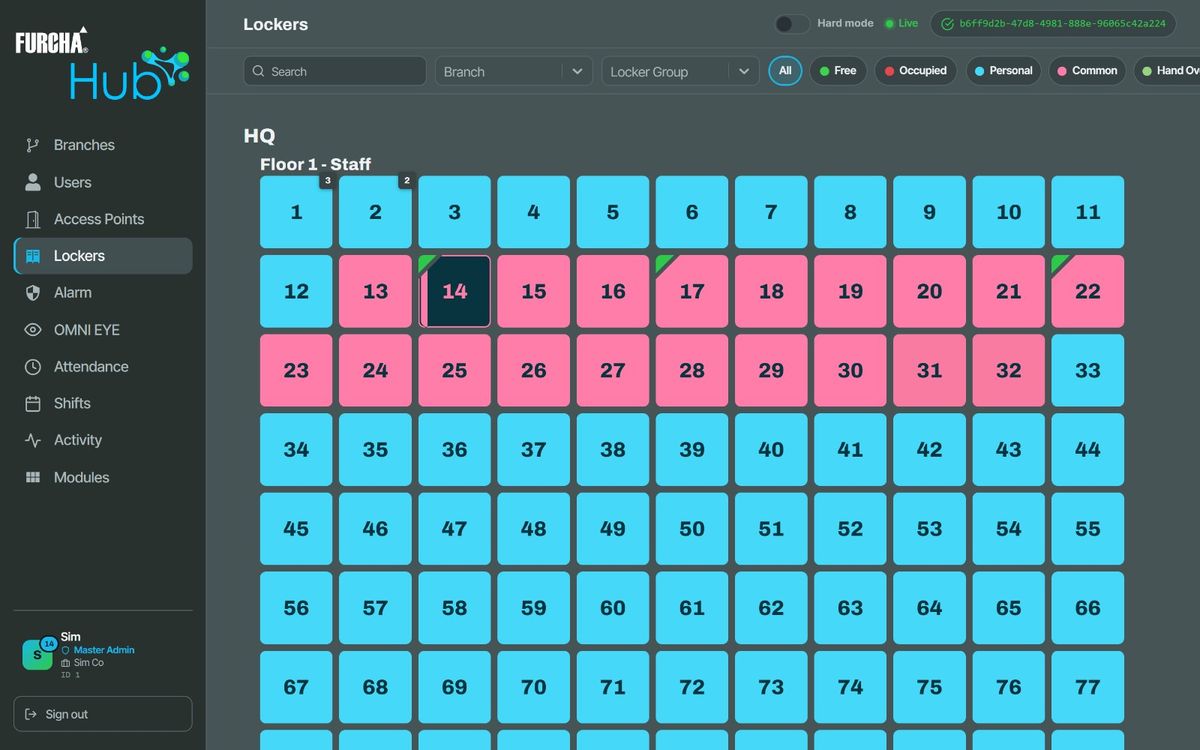
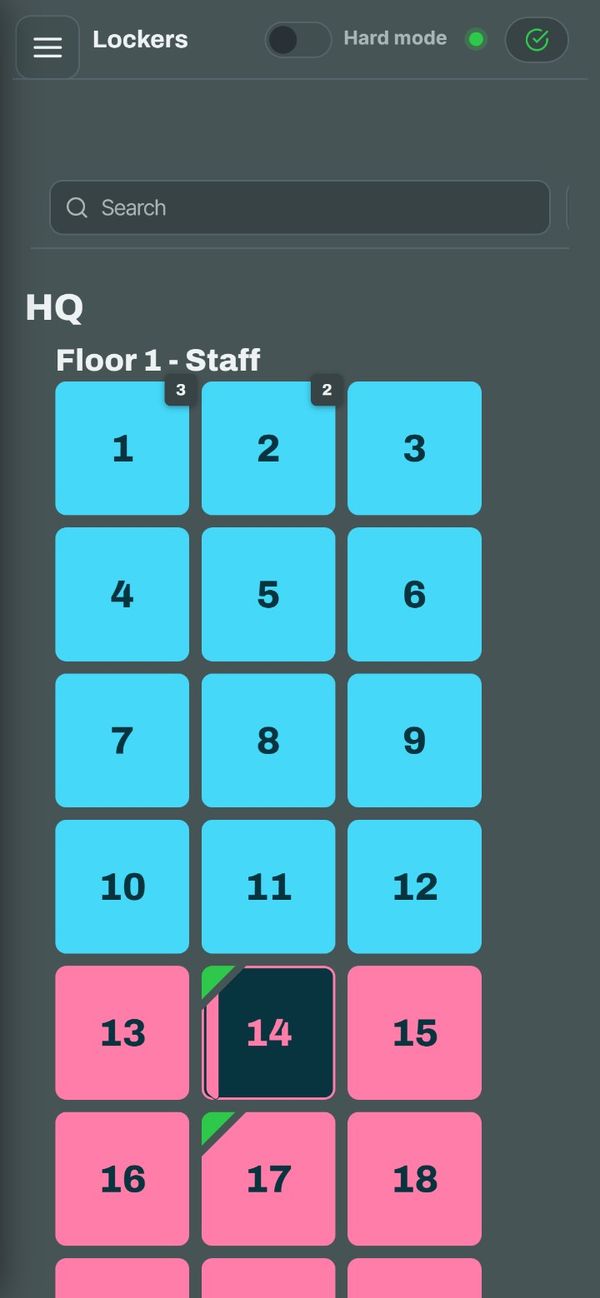
Every locker on a grid, by site and locker group, coloured by type, with occupancy of the common lockers at a glance. Open a locker remotely when someone needs it.
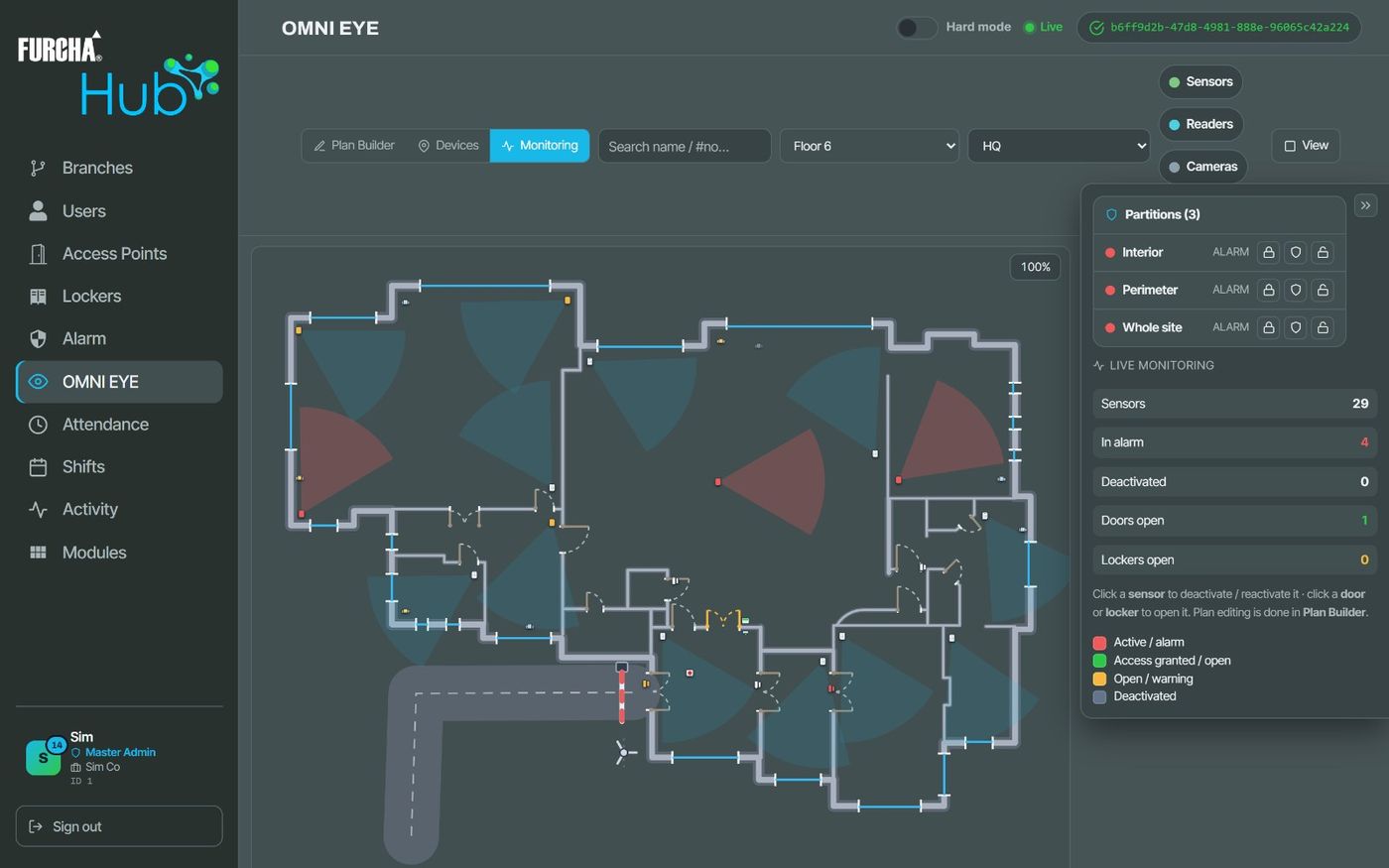
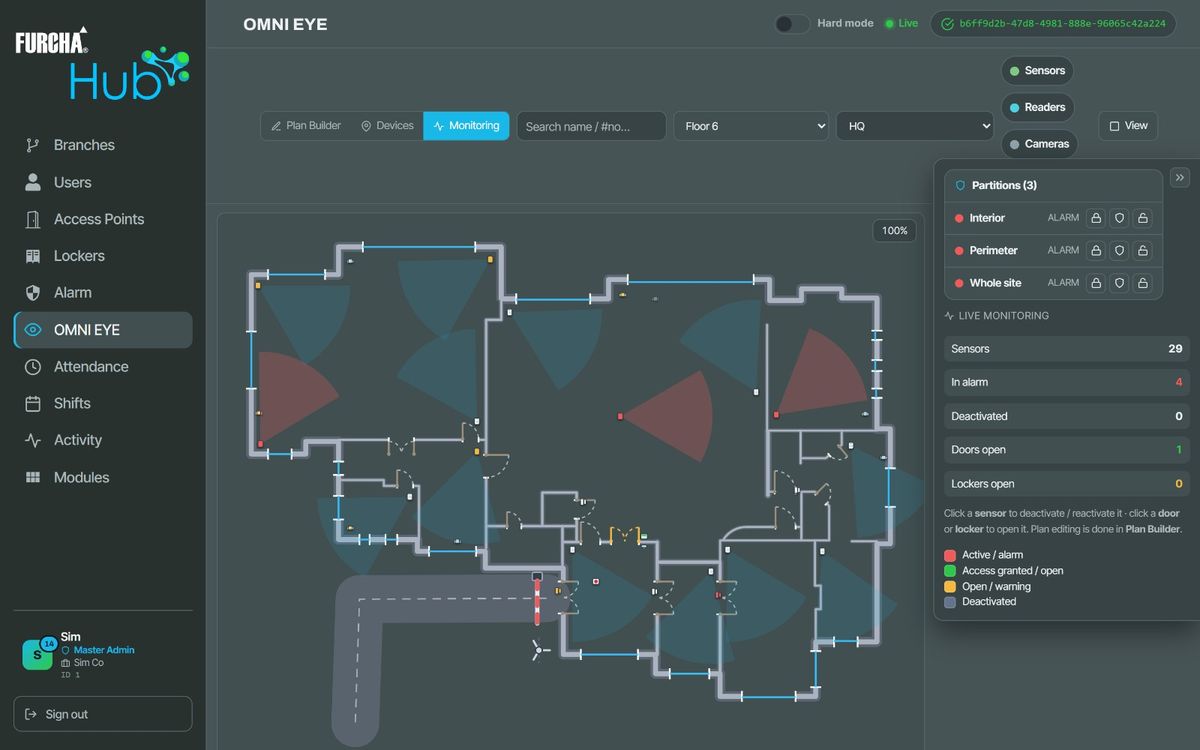
The floor plan of each site with its doors, lockers and alarm sensors, and their state as it changes: an alarm, a door left open, an open locker.
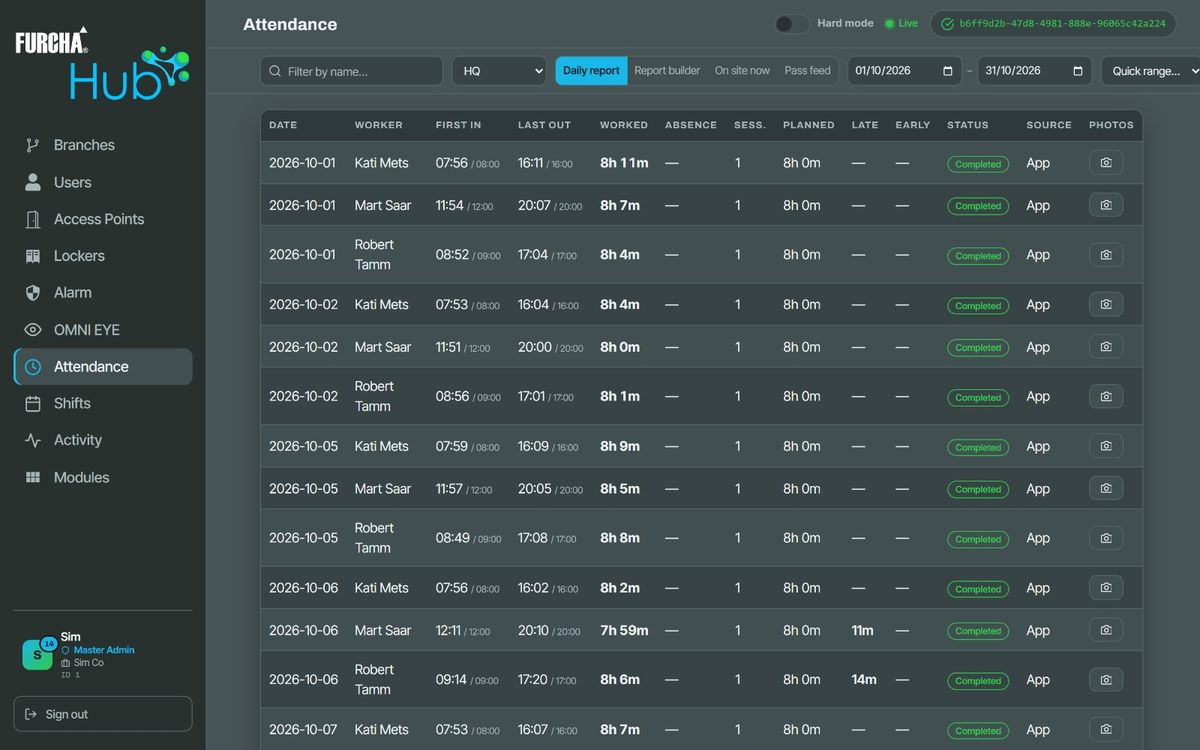
A daily report for every person: first in, last out, worked and planned time, lateness, early leave and absences, built from clock-ins in FURCHA Go, with an arrival photo where you require one.
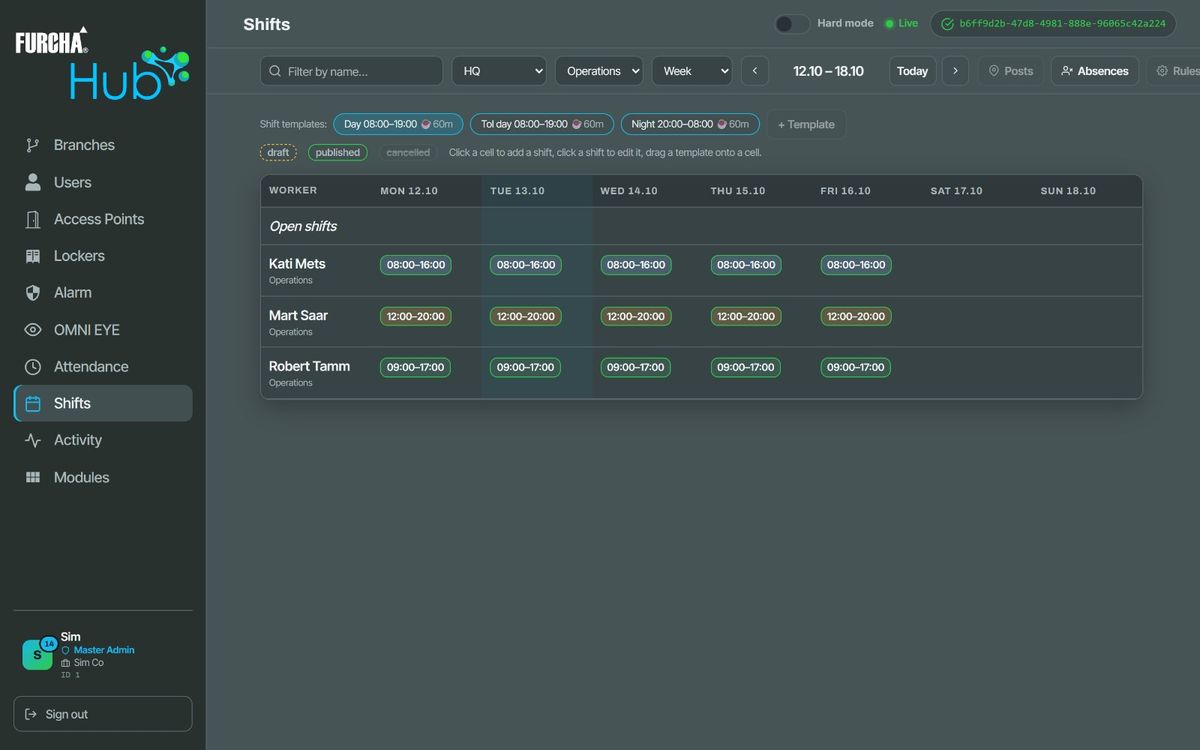
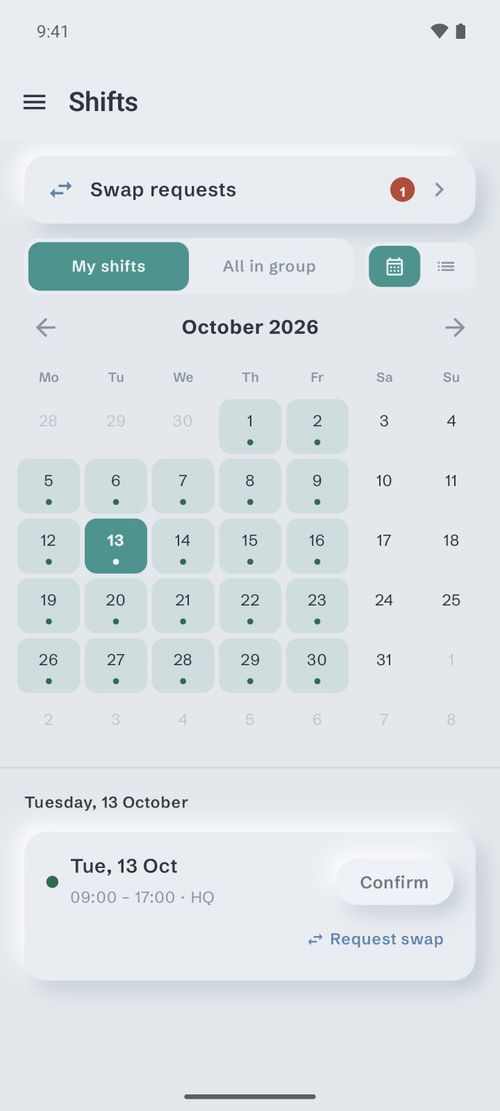
Plan shifts on a week or month board per site and group, from shift templates, and publish them when they are ready; absences go on the same board. Let a group swap or hand over shifts among themselves, with or without your approval. Employees see their published shifts in FURCHA Go.
Switch the FURCHA Go app on for the people who need it; each uses one app seat. For each person or group, decide whether doors and lockers may be opened from the phone and whether the alarm may be used from it. Your staff use FURCHA Go on Android phones; an iPhone version is coming soon.
FURCHA Go →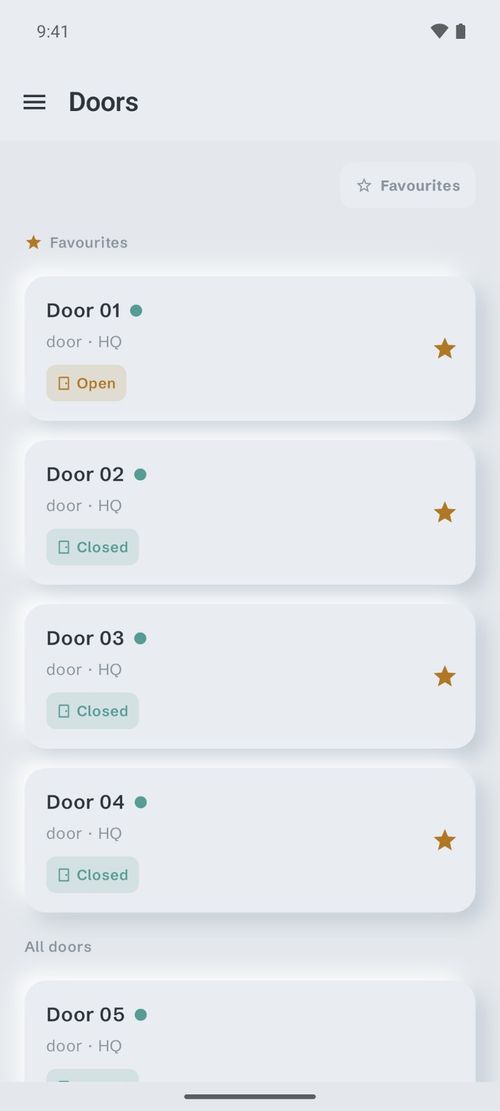
Give each administrator a role: Master Admin, Super Admin, Branch Admin, operator, or a service profile such as Parcel Admin, Security Operator, Receptionist or Technician. Each role has its own set of permissions, and a branch administrator’s people, doors, lockers, shifts and attendance are limited to their own branch. Master Admins and Super Admins sign in with a second factor from an authenticator app. Changes to configuration, people, rights and administrators, remote locker opens and alarm commands go into an activity log: who did what, and when.
Each site has its own time zone; attendance days and FURCHA Go access schedules run on the site’s local time. A door can be held open on chosen weekdays between two set times, and FURCHA HUB switches it at the start and the end. Capacity comes from your subscription in FURCHA Portal: sites, FURCHA Go app seats, shift and time-and-attendance seats.
FURCHA HUB works in the browser on a computer and on a phone, in English and Estonian.
FURCHA controllers (BR-1 brain modules) connected to FURCHA HUB.
A FURCHA HUB subscription, set up through FURCHA Portal by your installer or distributor.
A web browser. Your staff need FURCHA Go on their phones only if they are to use the app.
The new standard in smart building management.
Cookies
We use cookies for statistics (Google Analytics) and to measure and personalise our advertising (Google Ads, Meta, LinkedIn) — only with your consent. You can change your choice at any time under “Cookie settings” in the footer. Cookie policy